Chatbot Analytics: How to Measure and Improve Performance
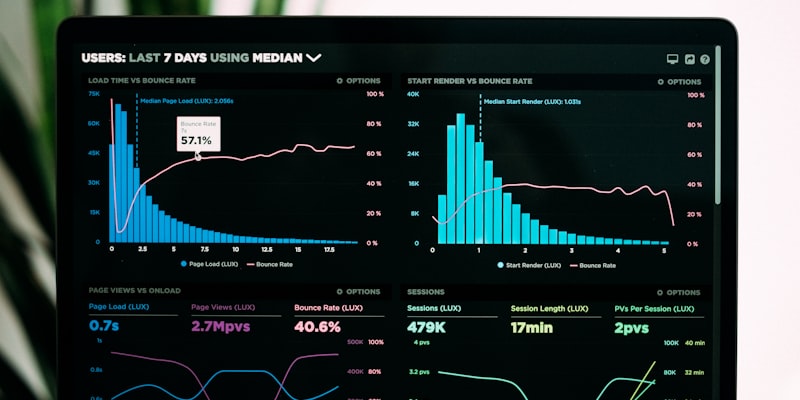
Deploying an AI chatbot is just the beginning. The real value comes from analyzing performance data and continuously optimizing the bot's effectiveness. Every conversation generates insights — which questions visitors ask, where the bot struggles, what drives conversions, and when engagement peaks.
This guide covers the essential analytics framework for measuring and improving your chatbot's performance in 2026.
The Analytics Dashboard: What to Track
Tier 1: Core Business Metrics (Check Daily)
These metrics directly impact your bottom line:
Conversation Volume
Track total conversations per day, week, and month. This tells you how many visitors your chatbot is engaging. Rising volume indicates growing adoption; flat or declining volume despite growing traffic suggests your chatbot trigger settings need adjustment.
Benchmark: A well-configured chatbot should engage 5-15% of website visitors.
Lead Capture Rate
The percentage of conversations that result in a captured lead (name + email or phone). This is your chatbot's primary conversion metric.
Benchmark: 15-25% of conversations should capture a lead. Below 10% indicates your sales flow needs work — the bot may be asking for contact details too early or not providing enough value first.
Revenue Attribution
Track how many leads captured by the chatbot eventually convert to paying customers. This requires integrating your chatbot with your CRM and tracking the full funnel.
Goal: Establish a clear dollars-per-conversation metric so you can calculate chatbot ROI precisely.
Tier 2: Performance Metrics (Check Weekly)
Resolution Rate
The percentage of conversations resolved without human escalation. This measures how well your knowledge base covers visitor questions.
Benchmark: 60-70% for support bots, 40-50% for sales bots (which should escalate more for deal closing). If resolution rate is below 50%, your knowledge base has significant gaps.
Average Response Time
How quickly the AI responds to each message. This should be near-instant.
Benchmark: Under 5 seconds for 95% of responses. If response times are higher, it may indicate issues with your AI provider or knowledge base size.
Conversation Depth
Average number of messages per conversation. This indicates engagement quality.
Benchmark: 4-8 messages is the sweet spot. Under 3 suggests visitors aren't finding value. Over 12 may indicate the bot is failing to resolve or convert.
After-Hours Engagement
Percentage of conversations happening outside business hours. This represents pure incremental value — leads and support queries you'd miss without AI.
Benchmark: 30-40% of total conversations. If lower, your chatbot may not be properly configured for after-hours messaging.
Tier 3: Optimization Metrics (Monthly Deep Dive)
Top Questions
Review the most frequently asked questions. These reveal:
- What visitors care about most
- Whether your website content addresses common concerns
- Gaps in your knowledge base that need filling
Action: Update your knowledge base and website content based on top questions every month.
Unanswered Questions
Questions where the bot couldn't provide a satisfactory answer. These are your biggest optimization opportunities.
Action: For each unanswered question type, add relevant content to your knowledge base. This incrementally improves your resolution rate.
Bounce-Back Rate
The percentage of visitors who open the chatbot but leave after 0-1 messages. High bounce-back indicates:
- The welcome message isn't engaging
- The bot's first response doesn't match expectations
- Page context and chatbot context are misaligned
Page-Level Performance
Track chatbot metrics by page URL to understand where the bot performs best:
- Which pages generate the most conversations?
- Which pages have the highest lead capture rate?
- Where does the bot struggle most?
This data helps you prioritize knowledge base improvements for high-traffic, low-performance pages.
The Optimization Cycle
Week 1: Baseline
Deploy your chatbot and let it run for a full week without changes. Collect baseline data on all Tier 1 and Tier 2 metrics. This gives you a clean starting point for measuring improvements.
Week 2-3: Knowledge Base Gaps
Review unanswered questions and top questions. Add missing content to your knowledge base. This is typically the highest-impact optimization — most chatbots see a 10-20% improvement in resolution rate just from filling knowledge gaps.
Week 4: Conversation Flow
Analyze conversations where leads were captured vs. conversations where visitors left without providing contact details. Look for patterns:
- At what point in the conversation do visitors provide their email?
- What questions do converting visitors ask?
- Where do non-converting visitors drop off?
Use these insights to adjust your bot's custom instructions and sales flow timing.
Monthly: Full Review
Conduct a comprehensive review of all three metric tiers:
- Core metrics trending: Are conversation volume, lead capture rate, and revenue attribution improving month-over-month?
- Resolution rate progress: Is the knowledge base covering more questions over time?
- New gap analysis: What new questions have emerged that need knowledge base additions?
- Competitive comparison: How do your metrics compare to industry benchmarks?
Advanced Analytics Strategies
Cohort Analysis
Segment your chatbot conversations by visitor type:
- New vs. returning visitors: Do returning visitors convert at higher rates? If so, focus on re-engagement strategies.
- Traffic source: Do visitors from Google Ads engage differently than organic traffic? Use this to optimize ad targeting.
- Device type: Mobile vs. desktop engagement patterns. Ensure your chatbot performs well on both.
A/B Testing Your Chatbot
Test different configurations to optimize performance:
- Welcome messages: Test different greetings to see which gets more engagement
- Auto-open timing: Compare 3-second vs. 5-second vs. 10-second auto-open delays
- Sales flow timing: When is the optimal moment to ask for contact details?
- Bot persona: Does a casual tone convert better than a professional tone for your audience?
Funnel Analysis
Map your chatbot's conversion funnel:
- Chat opened → X% engage (send at least one message)
- Engaged → X% have a meaningful conversation (3+ messages)
- Meaningful conversation → X% provide contact details
- Contact details → X% respond to sales follow-up
- Sales follow-up → X% become customers
Identify the biggest drop-off point and focus your optimization there. A small improvement at the narrowest point of the funnel has the biggest impact on overall results.
Common Analytics Mistakes
1. Vanity Metrics
Don't celebrate high conversation volume if lead capture rate is low. A bot that talks to 1,000 visitors but captures 10 leads is less valuable than one that talks to 200 and captures 40.
2. Not Segmenting Data
Overall averages hide important patterns. A 20% lead capture rate might mean 40% on your pricing page and 5% on your blog. Segmented data reveals where to focus.
3. Ignoring Qualitative Data
Numbers tell you what's happening. Reading actual conversations tells you why. Spend 15 minutes each week reading random conversations to understand the visitor experience.
4. Optimizing Too Quickly
Don't change your chatbot configuration daily based on small data samples. Let changes run for at least a week before evaluating results. Statistical significance matters.
5. Forgetting the Human Element
The best chatbot analytics practice is combining quantitative data with qualitative feedback. Ask your support team about the quality of escalated conversations. Ask your sales team about the quality of chatbot-captured leads. Their feedback complements the data.
Tools and Integrations for Better Analytics
Built-In Dashboard
Most chatbot platforms provide basic analytics. At minimum, you should have access to conversation volume, lead capture rate, and conversation logs.
CRM Integration
By connecting your chatbot to your CRM, you can track leads from first chatbot conversation through to closed deal. This enables true revenue attribution.
Google Analytics
Add UTM parameters or custom events to track chatbot engagement in Google Analytics alongside your other marketing metrics. This gives you a unified view of how chatbot engagement compares to other conversion channels.
Building a Data-Driven Chatbot Culture
The companies that get the most value from AI chatbots are the ones that treat them as living systems — constantly monitored, regularly updated, and continuously improved. Set up a monthly 30-minute review meeting where you:
- Review core metrics and trends
- Read 10 random conversations
- Update the knowledge base with new content
- Adjust one configuration setting based on data
- Set a hypothesis to test for the next month
This disciplined approach compounds over time. A chatbot that's been optimized for 6 months dramatically outperforms one that was deployed and forgotten.
See it work on your own website
Paste your URL and chat with an AI agent trained on your content — right now, in 60 seconds.
Try It on Your WebsiteReady to try it yourself?
Deploy an AI chatbot on your website in under 5 minutes.
Get Started for Free